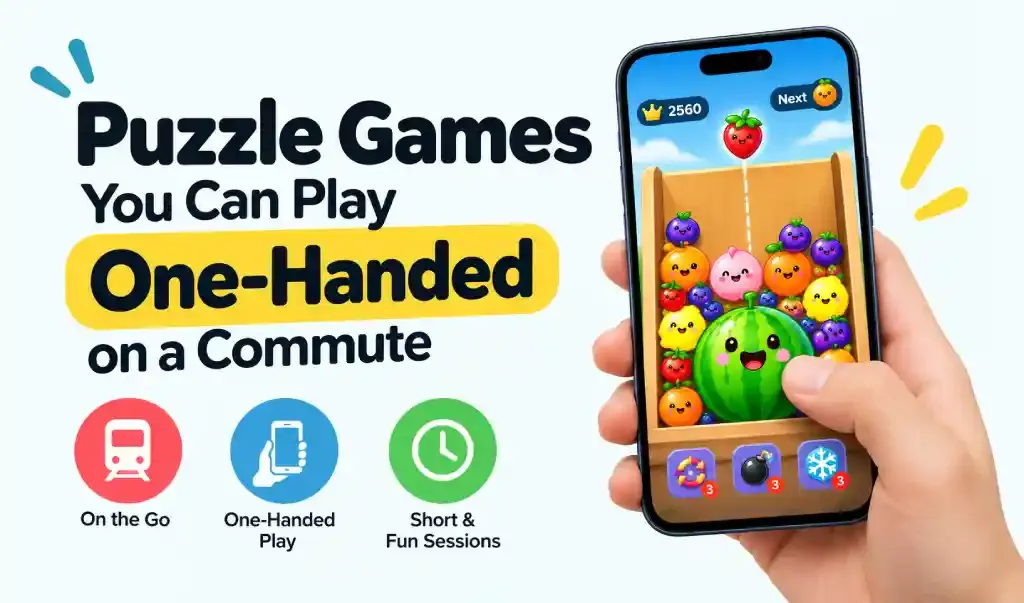
A good one-handed commute puzzle game runs in portrait, keeps its controls where your thumb already is, has no countdown and survives being interrupted. Threes!, Two Dots, Nonograms 999, Fruit Fall: Match Puzzle Game, Flow Free and Blockudoku are six worth trying. Test any of them with a single thumb before you rely on it, because screen size and grip change everything.
You're standing on the 8:14, one hand wrapped around a pole, bag wedged between your feet. You've got twenty-two minutes and one free thumb.
Most "best mobile games" lists don't help here. They recommend something gorgeous that needs two thumbs and your full attention, which is fine on a sofa and impossible on a moving train. This list is built around the constraint that actually matters. One honest caveat first: we haven't tested these on a moving carriage, and one-handed comfort depends on your phone's size and your hand, so we describe what each game's controls ask of you and give you a quick way to test it yourself.
What makes a game genuinely one-handed
Four things matter, and most lists skip all four.
It has to run in portrait. If a game turns sideways, it usually needs two hands.
Controls have to sit inside the thumb arc. Hold your phone in one hand and sweep your thumb. It covers a curve across roughly the bottom two-thirds of the screen. Anything above that line means shifting your grip, and shifting your grip on a jolting carriage is how phones end up under seats.
It has to survive interruption. You look up at every stop. You get jostled. A game with a countdown punishes all three; a game with no timer doesn't notice.
It has to cope with dead zones. Tunnels and cuttings are where connections drop. A game that stalls without a signal isn't a commute game.
A thirty-second thumb test
Before you commit, try this with any game:
- Hold the phone in one hand, the way you would on the train.
- Play one round or one puzzle without moving your grip.
- Note which parts of the screen you couldn't reach.
- Switch on airplane mode and open the game again. If it still loads and plays, it'll survive a tunnel.
On iPhones with a Face ID screen, there's also Reachability: turn it on under Settings → Accessibility → Touch, then swipe down on the bottom edge of the screen to pull the top half of the display within reach. It helps with menus and buttons at the top of games that otherwise work well with one thumb.
Threes!
Threes! is the original number-merging puzzle: you swipe tiles together and matching numbers combine. The whole game is one swipe repeated a few hundred times. It's a paid app from Sirvo with no in-app purchases listed, which for a commute can be a feature: the listing doesn't mention ads, so there's no full-screen interruption as your stop is announced. There's also a free, ad-supported version called Threes! Freeplay if you'd like to try it first.
Fair warning that it's properly difficult. Your first dozen games may end badly without you quite knowing why, and our post on number merging versus fruit merging explains some of the thinking behind that.
Two Dots
You connect dots of the same colour by dragging between them. It's gentle and colourful, and the drag gestures happen across the board, close to where a thumb rests.
The catch is the business model. Two Dots is free but contains ads and in-app purchases, including life refills, and its App Store listing notes loot boxes and a 9+ rating. Lives are exactly the wrong mechanic for someone with a fixed twenty minutes, so treat it as a game to dip into, not grind through.
Nonograms 999
Picture-logic puzzles: number clues along the top and side tell you which squares to fill in, and the finished grid reveals a small picture. It's from Seventh rank Inc., free to download, supported by ads and offering optional hint-coin purchases, with a 9+ rating.
The listing mentions an auto-save feature, which matters on a commute: you can stop mid-puzzle at your stop and pick up the same square tomorrow. If you've never done a nonogram, expect the first few to feel opaque; it tends to click after a handful.
Fruit Fall: Match Puzzle Game
This is our own game, so weigh our enthusiasm accordingly. Fruit Fall is a drop-and-merge puzzle in the style the Suika Game popularised: you drop a fruit into a container, two identical fruits merge into a bigger one and the run ends when the container fills.
It suits one-handed play because the only control is lining up a drop, which is a small horizontal movement of your thumb, and there are no levels, no timer and no session length to commit to. It works offline. The honest note: the free version shows ads between rounds, including full-screen ones, and there's an optional subscription to remove them. If you'd like to know whether the genre is a good fit, our explainer on watermelon-merge games is a good start.
Flow Free
Join matching coloured dots with pipes without crossing them, filling the whole board. Everything is tap-and-drag inside a compact grid. It's from Big Duck Games, free with ads, and there's an in-app purchase that unlocks all packs and removes ads. Rated 4+.
It copes with interruptions well, because individual puzzles are short, so being pulled away mid-solve costs little. The trade-off is that boards are fixed: once you've solved one, there's little reason to solve it again, so it's a finite well rather than an endless one.
Blockudoku
Tetris-style pieces on a sudoku-style grid, with no falling. You drag blocks onto a nine-by-nine board and clear rows, columns or three-by-three squares. It's from Easybrain, free with ads, with a paid No Ads upgrade, and has no time limit, which makes it very forgiving for stop-and-start play.
One thing to test with your thumb: dragging a block to the top row of the grid can push your thumb beyond its comfortable arc on a larger phone, so this is where Reachability or a smaller grip helps.
Which one for which commute
| If your commute is... | Try |
|---|---|
| Under ten minutes | Flow Free, where puzzles are short |
| Ten to thirty minutes, standing | Threes! or a drop-and-merge game, for a continuous run |
| Long with lots of waiting | Nonograms 999, with auto-save |
| Jerky and crowded | Anything untimed; see the thumb test above |
| Underground | Whatever passes the airplane-mode test |
If your breaks are shorter than a commute, nine games that fit into three minutes may suit you better. And if you're wondering why games like these have become so popular, the rise of short-session games explains the trend.
Frequently asked questions
What's the best one-handed puzzle game for a short commute? Flow Free is a good fit when puzzles are short. For anything over fifteen minutes, Threes! or a merge game gives you a single continuous run instead.
Do any of these work without internet? Check each listing and test with airplane mode. Fruit Fall works offline. We haven't confirmed offline behaviour for every title, so run the airplane-mode test before you rely on one underground.
Which is best if I hate ads? Threes! is a paid app and its listing doesn't mention ads. Most of the others are free and ad-supported, with an optional purchase to remove ads.
Are there good one-handed puzzle games without timers? Every game listed here is untimed in its standard play. Timers and standing-room commutes don't mix.
Why avoid landscape games on a commute? Landscape usually needs two hands to hold the device steady, and one of yours is holding a pole.
The short version
If you want one download and no further thought: Threes! if you'll pay for it, Flow Free or Nonograms 999 if you won't, and a drop-and-merge game like Fruit Fall if you'd rather not think much before your first coffee. For a longer list beyond one-handed play, see top-rated puzzle games on the App Store. Fruit Fall: Match Puzzle Game is free on the App Store.